Document-ready photos in minutes
Turn your photo into a document-ready image in minutes
U.S. passport-style and EU ID presets — crop, validate, and export with privacy-first processing.
- Privacy-scoped processing
- Minutes to preview, not days
- U.S. and EU / international presets
- Stripe at checkout
Start with a document type
In-app preview
Sample — your readiness panel fills in after upload
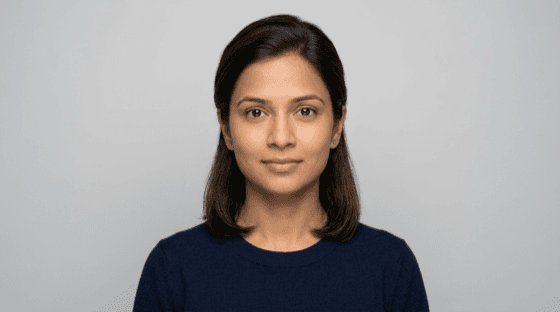
Preset
Country
Readiness score
Validation items
- Face centeredPass
- BackgroundPass
- Head sizeWarning
+2 more checks in app
Trusted by travelers, students, families, and professionals
Press row uses stylized wordmarks for layout—replace with licensed logos when you have real coverage. Quotes are illustrative examples; swap for verified testimonials when you have permission to publish them.
Submitted my EU photo on a Friday night and had a print-ready file the next morning. The readiness checks caught glare on my glasses I would have missed at a kiosk.
We used DocReadyPix for my toddler’s passport photo—clear framing tips and no studio trip. Got a calm shot on the second try instead of a meltdown at the drugstore.
I’m on tight travel windows every month. US 2×2 specs, one export, and I’m done. From selfie to upload-ready in under ten minutes.
From everyday snapshot to document-ready
Align, clean up the backdrop where supported, and export to your preset — you choose what to submit.
How it works
Three steps. No account friction to start.
Step 1
Upload your photo
Clear portrait, even light — no heavy filters.
Step 2
Choose your format
U.S. or EU presets with plain guidance for your document.
Step 3
Validate, then export
Read the report, unlock digital + print when it looks right.
When you are ready: Create My Photo — preview is free.
U.S. vs EU modes
One workflow — two preparation paths. Pick the format that matches your document.
US Passport-Style Prep
- 2×2 export — common print sheet + digital layout.
- Validation-first workflow — checks for framing and background cues before checkout.
Important
EU / International ID Photos
- 35×45 mm default for many European ID-style specs.
- Country presets where available — always confirm locally.
- Clean background enhancement option on supported paths.
Requirements vary
DocReadyPix prepares photo exports only and does not issue identification documents. Final acceptance is determined by the issuing authority.
Readiness intelligence
Know what to fix before you pay
Eight checks with pass, warning, or fail — same view you get in the app. Example below.
Readiness summary
Per-dimension scores update after processing
- Face centeredPass
- BackgroundPass
- Head sizeWarning
- ShadowsPass
- GlassesPass
Why DocReadyPix
Built for people who want clarity before they file.
Validation before payment
Eight automated checks with plain-English context — pay only when you are ready.
Privacy-first handling
Your images are processed for your export — not for training models.
Digital + print exports
Files shaped for online submissions and common kiosk sizes.
Preset-aware formatting
U.S. and EU / international guidance — always confirm with your issuer.
Fast turnaround
Upload to preview in minutes on a typical connection.
Focused workflow
One path from upload to export — no clutter, no upsell noise.
Simple pricing
See the report first. Pay only to unlock full-resolution files.
Single Export
One export
$7.99
Pay once per completed job.
- One processed portrait
- Digital + print-ready exports
- In-app validation summary
- Preview before checkout
Photo Pack
Extra flexibility
$12.99
Recommended if you want a backup crop or re-run window.
- Everything in Single Export
- Alternate crop option if you need a tweak
- 72-hour reprocess access
- Best when you want extra flexibility
Review the report and preview image first — pay only to unlock full-resolution files.
Create My Photo — no charge until you checkout.
Details on the pricing page.
U.S. authorities may reject AI-altered photos. Final acceptance is determined by the issuing authority. Requirements vary by country and document type.
Built for privacy from day one
- Processed only to create your export
- No model training on your photos
- Auto-delete policies
- Data deletion on request
Read the full policy in Privacy — or request removal via Data deletion.
FAQ
Honest answers — no guaranteed acceptance claims.
Ready to create your photo?
Upload once, read your readiness report, unlock exports in minutes.